Visual disconnect
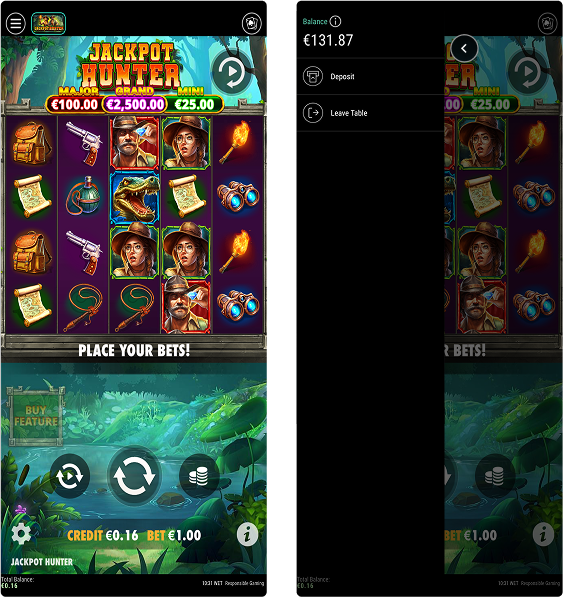
The existing menu felt separated from gameplay rather than part of it.
POKERSTARS CASINO · PRODUCT EXPERIENCE
Redesigning game navigation to make essential actions clearer, faster and less disruptive — while creating a new path from one game to the next.
01 · THE PROJECT
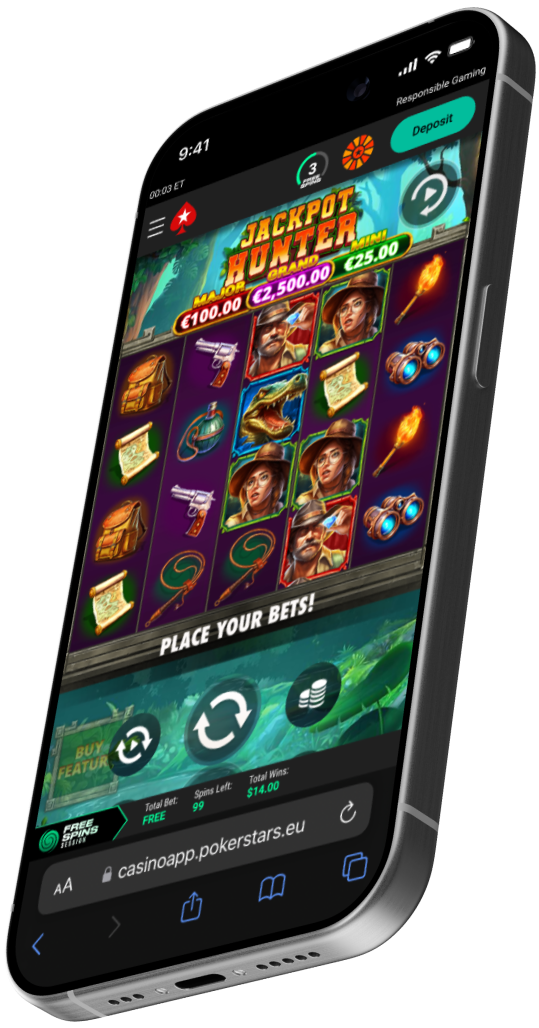
The In-Game Menu Enhancement project focused on redesigning navigation inside PokerStars casino games without interrupting the entertainment experience.
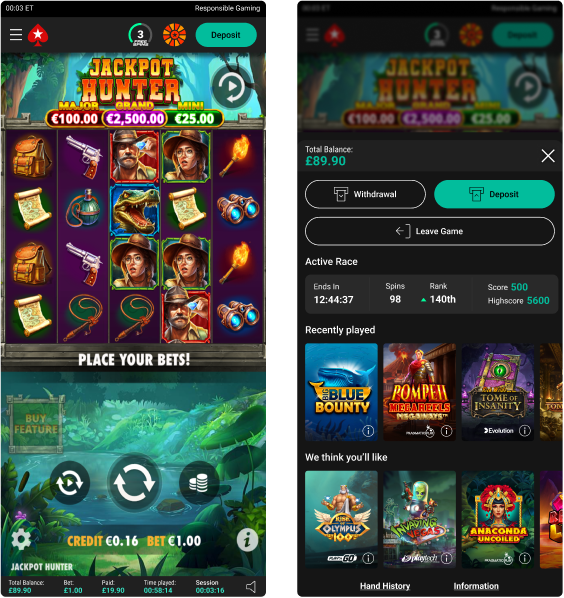
The redesign transformed the menu from a functional overlay into a cleaner, more integrated and polished in-game experience.
The goal was to make important controls easier to understand and access while keeping players immersed.
02 · THE CHALLENGE
The existing menu felt separated from gameplay rather than part of it.
Players needed a clearer, more intuitive way to reach important actions during a session.
The solution needed to scale across multiple games, licences and platforms.
03 · DESIGN PRINCIPLE
The design direction was driven by one central idea: in-game navigation should support the player's session, not pull attention away from it.
I focused on reducing friction, improving clarity, creating a more immersive UI and maintaining consistency across the wider product ecosystem.
CORE PRINCIPLELESS OVERLAY.
MORE CONTINUITY.
04 · THE APPROACH
Reduce visual complexity and make core actions easier to scan.
Make available actions easier to understand.
Keep menu use lightweight and predictable.
Preserve visual connection to gameplay.
Scale components across game experiences.
05 · BEFORE / AFTER
06 · KEY INSIGHT
The redesign created an opportunity beyond menu usability: what happens when a player is ready to leave the current game?
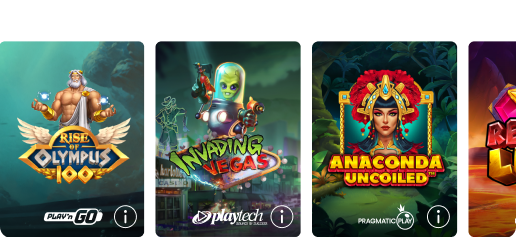
The Next Game feature surfaces recommended games before the session ends, creating a smoother transition to another title and an additional discovery moment.
07 · EXPERIENCE FLOW
Gameplay remains the focus.
Access controls in context.
Find settings quickly.
Leave when ready.
Optionally move to a new game.
08 · SCALABLE SYSTEM
The interface needed to create a cohesive visual and interaction pattern across games, licences and platforms — not become a one-off visual treatment.
09 · OUTCOME
Improve visibility of active and available bonuses and key actions.
Create cohesive patterns across games, licences and platforms.
Encourage continued exploration by surfacing new games in the menu journey.
Establish a reusable UI system for multiple game experiences.
10 · TAKEAWAY
In an entertainment product, utility needs to be immediate when needed and quiet when it isn't.
This redesign reframed the menu as part of the gameplay journey: clearer when opened, less disruptive in use, and able to create a natural bridge into further discovery.